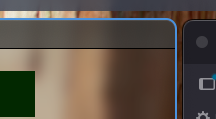
ers Configuration (via tarmac)
When using ers with tarmac, you configure borders through your tarmac init.lua. tarmac manages the ers process lifecycle automatically.
Enabling borders
Set border_width to a value greater than 0:
gar.set("border_width", "4")
This starts ers as a child process with the --active-only flag.
Border settings
gar.set("border_width", "4")                        -- thickness in pixels
gar.set("border_color_focused", "#5294e2")           -- focused window color
gar.set("border_color_unfocused", "#2d2d2d")         -- unfocused window color
gar.set("border_radius", "10")                       -- corner radius
Colors
Colors are hex strings: #RRGGBB or #RRGGBBAA (with alpha channel).
gar.set("border_color_focused", "#5294e2")         -- opaque blue
gar.set("border_color_unfocused", "#59595980")     -- semi-transparent gray
gar.set("border_color_focused", "#ff0000")          -- red
gar.set("border_color_unfocused", "#ffffff20")     -- barely visible white
Disabling borders
Set border_width to "0":
gar.set("border_width", "0")
This stops the ers process.
What tarmac passes to ers
When borders are enabled, tarmac spawns:
ers --width 4.0 --radius 10.0 --color '#5294e2' --inactive '#2d2d2d' --active-only
The flags correspond to your settings.
Lifecycle
- Start: ers is spawned when tarmac starts with
border_width > 0 - Restart: on config reload, if border settings changed, ers is killed and restarted with new flags
- Stop: when
border_widthis set to0, ers is killed - Crash recovery: if ers exits unexpectedly, tarmac does not auto-restart it. Reload the config to restart.